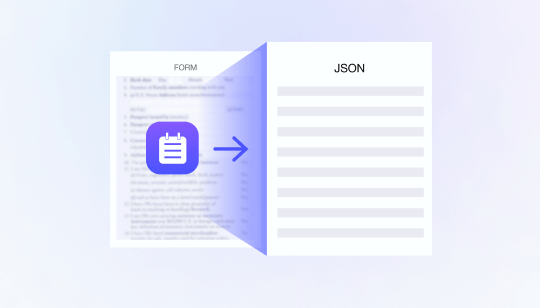
Template-based document validation compares a captured identity document with an approved reference for its type and version. It helps onboarding systems check whether the document has the expected layout, contains the required fields, and provides enough usable evidence for further verification.
The key distinction: a template match shows that a document looks structurally consistent. It does not prove that the document is genuine or that it belongs to the applicant. FinAuth combines template-based checks with OCR, document authenticity analysis, face verification, liveness detection, and device risk signals to support that broader decision.
1. What Does a Document Template Actually Validate?
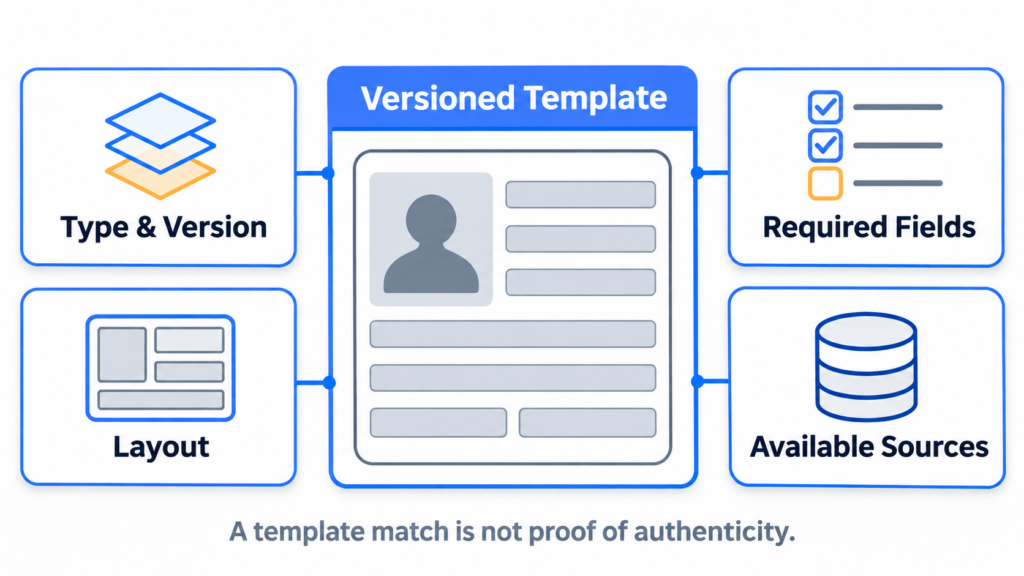
A document template is more than a reference image. It defines what the system should expect for a particular document version: which sides or pages are required, where key fields should appear, what formats those fields may use, and which data sources are available for comparison.
| Check | Question it answers |
|---|---|
| Type and version | Which reference should the system use? |
| Layout and completeness | Are the expected sides, regions, and required fields present? |
| Field format | Do the extracted values fit the expected formats? |
| Cross-source consistency | Do comparable values agree across the available sources? |
These checks have different purposes. OCR can confidently read a value from an altered document. A template check can identify an unexpected field location, but it should not classify a genuine legacy document as fraudulent just because that version is missing from the library.
2. Build a Versioned Library, Not a Single Template per Country
A country can issue multiple document types, and several generations of the same document may remain in circulation. Store templates by issuing authority, document type, and version. Track which sides are required, which fields are optional, which sources can be read, and which checks the capture channel can reliably perform.
Keep technical support separate from business acceptance. A system may recognize an older identity card even when a particular onboarding policy does not accept it. Conversely, an unfamiliar version may be acceptable under policy but need manual assessment because the system cannot validate it automatically.
Prioritize templates by submission volume, review burden, and risk exposure. When adding a version, test it against both genuine samples of that version and visually similar versions. The aim is not just to recognize the new design, but also to avoid routing existing documents to the wrong checks.
3. Compare Available Evidence Without Overstating It
Start with capture quality. Blur, glare, or a missing reverse side can make a genuine document look incomplete. If the applicant can correct the problem, request a targeted recapture before drawing conclusions about the document.
Once the type and version are identified, extract and compare the available sources independently. For example, compare printed fields with a machine-readable zone (MRZ) or barcode where the document version supports one. NIST’s remote identity-proofing guidance includes this kind of cross-check as part of optical document inspection.
Keep the outcomes distinct: matched, conflicting, unreadable, and not applicable. A missing source that the template does not require is not a failed check. Likewise, matching fields do not establish that the issuer produced the document. Where supported, document authenticity checks, verified digital signatures, or an authoritative source can provide evidence that a layout match cannot.
4. Route Exceptions by Cause With FinAuth
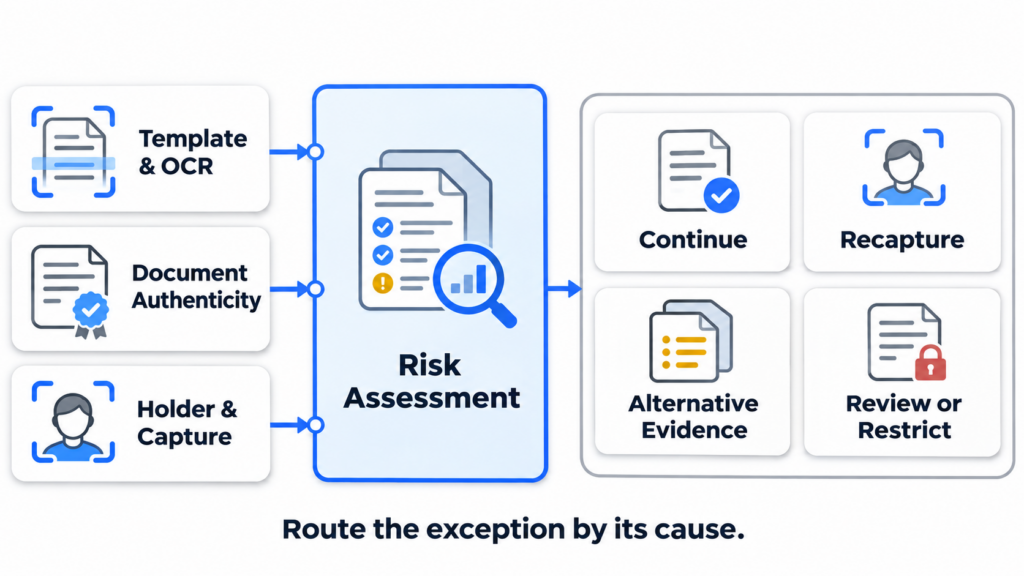
FinAuth brings document classification, OCR, and authenticity checks into the same onboarding workflow. Face verification and liveness can help assess whether the live applicant corresponds to the document portrait. Device and capture-integrity signals add context when the submission channel itself raises concerns.
Use the results to choose a response that addresses the actual problem:
- Continue when the document meets acceptance policy and the required assurance checks succeed.
- Recapture when glare, blur, cropping, or a missing side prevents assessment.
- Request alternative evidence when the document type is unsupported or not accepted for the product.
- Review or restrict when material conflicts or credible manipulation indicators remain unresolved, according to policy.
For example, if the front of a document is clear but the required reverse side is missing, request the reverse side rather than restarting the entire session. If both sides are readable but material identity fields conflict, a fresh photo alone may not resolve the discrepancy.
5. Measure Coverage and Accuracy by Document Version
A strong overall pass rate can conceal poor performance on one legacy format or capture channel. Monitor unsupported submissions, version misclassification, recapture, manual review, false acceptance, and false rejection by document version where sample sizes allow. Keep coverage gaps separate from validation errors: adding a missing template solves a different problem from tuning a noisy check.
Before releasing a template update, test representative devices and capture conditions, including worn documents and imperfect lighting. Record the template version and reason codes behind each decision so support teams can reconstruct what happened and identify regressions.
6. Frequently Asked Questions
Is template matching the same as document authentication?
No. Template matching checks whether a document resembles an expected type and version. Authentication assesses whether the document is genuine using additional evidence.
What should happen if no template matches?
Distinguish poor capture from an unsupported version. Request recapture for a quality issue; use an approved alternate document or manual assessment for a coverage gap. An unknown template is not proof of fraud.
How does template-based validation help teams scale?
It standardizes routine checks and gives reviewers specific reasons for exceptions. Teams can expand coverage one document version at a time while keeping a consistent onboarding workflow.
7. Conclusion
Use templates to choose the right checks, not to make the entire identity decision. A versioned library makes document validation scalable; separate authenticity, holder, and capture-integrity checks make the result more reliable. FinAuth helps teams combine that evidence and route each exception without forcing every applicant through manual review.